The purpose of this guide is to provide Admins of servers running Sourcemod with a quick reference to the most used/useful commands, as well as some useful resources. As every gaming group has their own rules and community, this guide will NOT touch on how to act or what to do in certain situations. Again, as every gaming group is unique, this guide will NOT teach you how to gain admin status. This is a resource for existing, or soon-to-be admins.
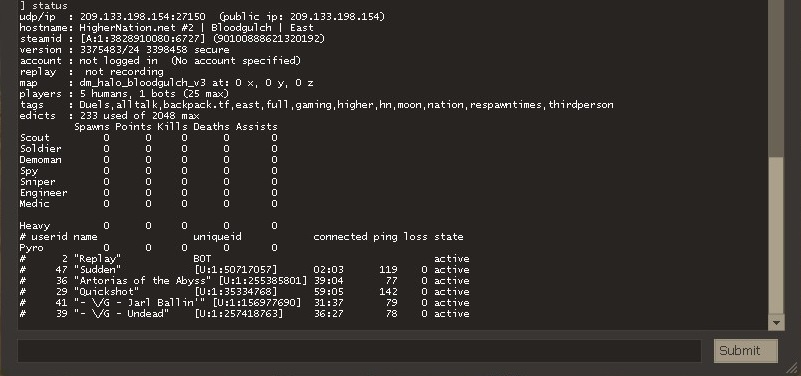
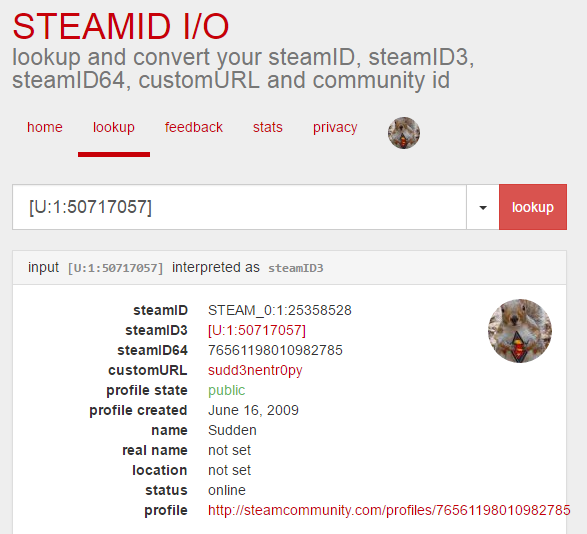
Type status in console to get the SteamID3 of players
Paste this into resource sites for more information about the player.
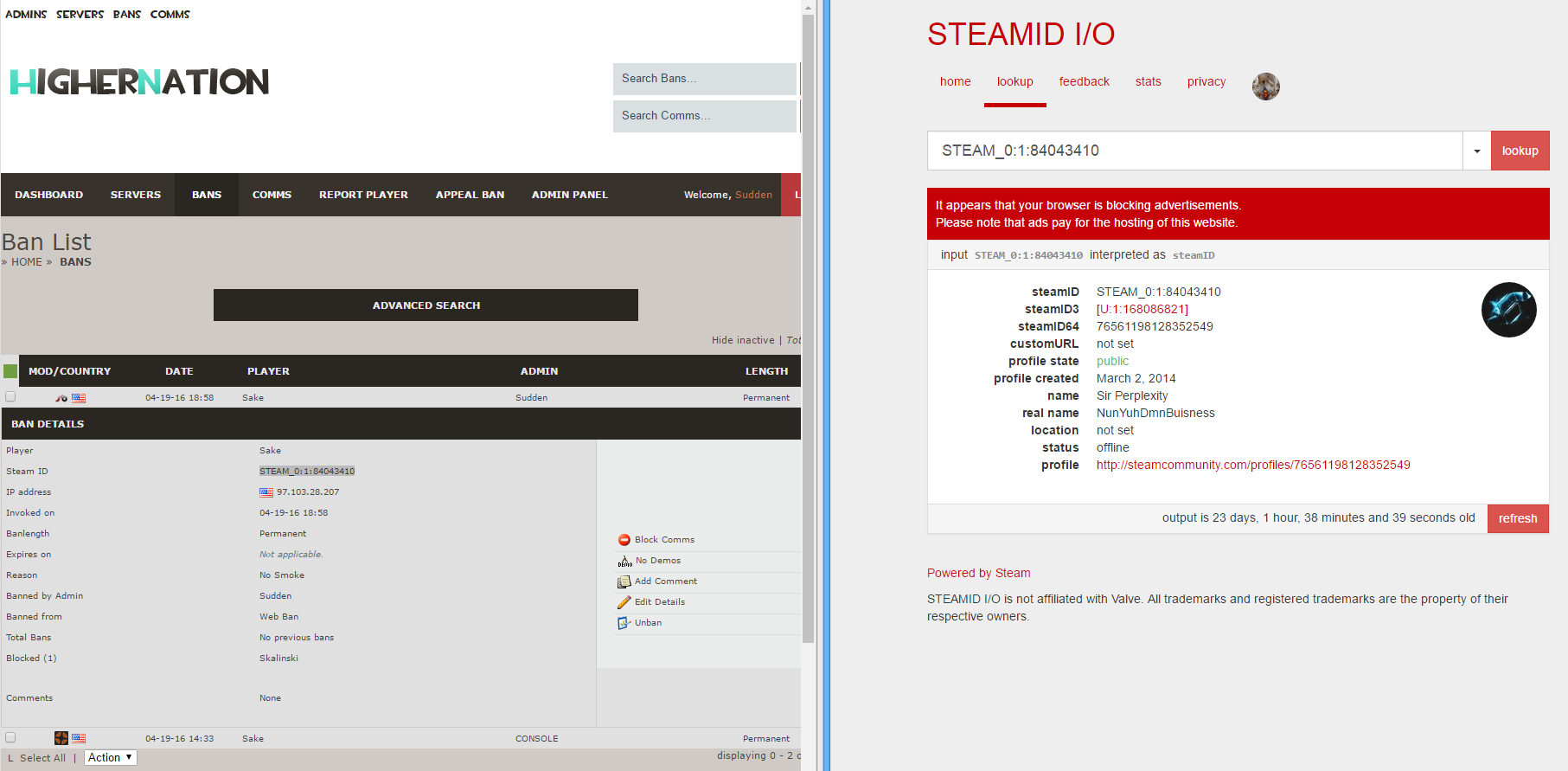
https://steamid.io/ will give you a player's SteamID, SteamID64, a link to their profile, and their location.
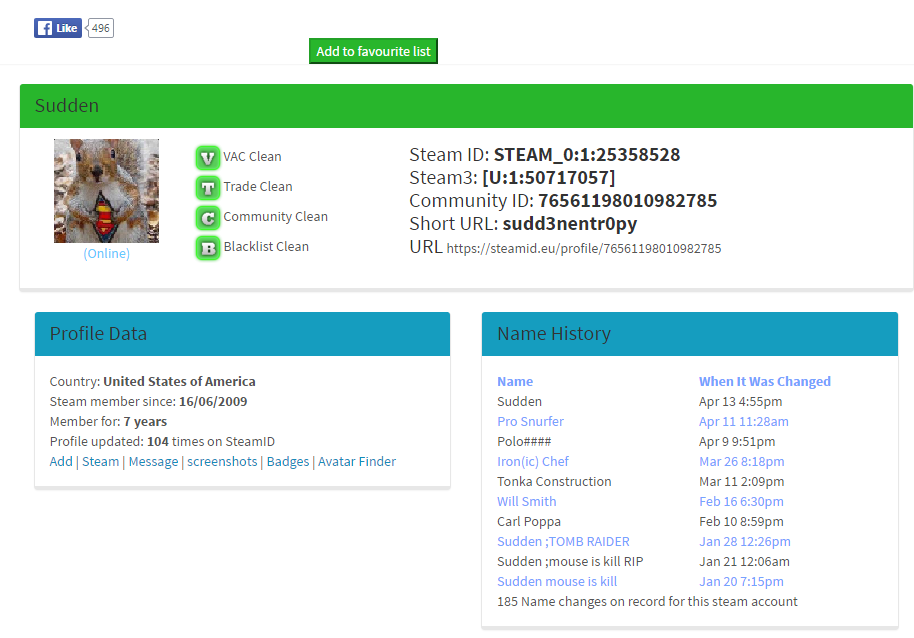
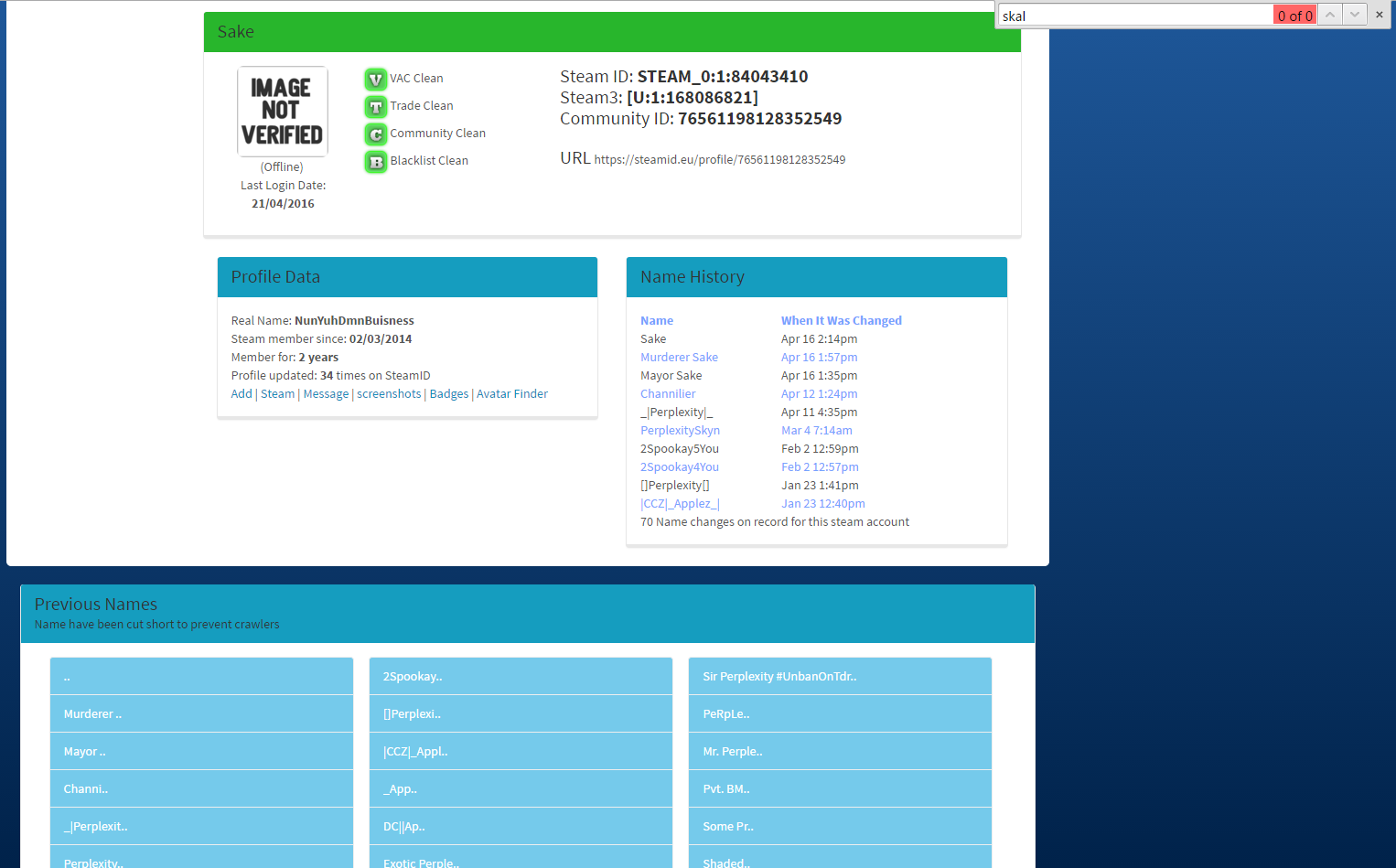
https://steamid.eu/ will give you some more information about a player like previous names and profile pictures.
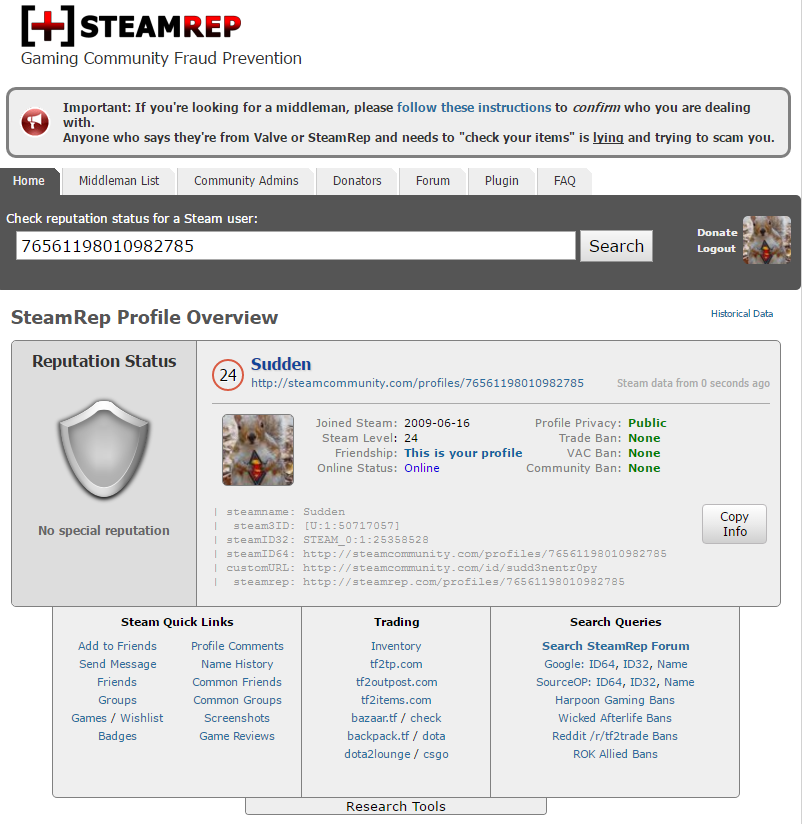
https://steamrep.com/ will give you the info steamed.io gives, as well as information on whether or not the player has been marked as a scammer, and links to all of their profiles on trading sites. Useful when dealing with cases of scamming on your server.
Chat Triggers: Remember that commands do not have to be entered through the console; they can be entered via chat triggers. For example, saying "!ban bail" in chat will execute the same command as "sm_ban" and forward the output to chat. You can also use "/" instead of "!" to suppress your command from being shown to users.
General targets:
Note that name matches occur last, "magic targets" (such as # and @) are processed first. This means that "@all" will target @all players, even if there is a player named "@all". You should target "#@all" instead.
Counter-Strike only:
Team Fortress 2 Only:
These are basic commands found in plugins that have been deemed safe for War Mode; they provide simple functionality for administering your server.
Command | Plugin | Access | Format | Description |
sm_addban | basebans | rcon | <time> <steamid> [reason] | Adds a Steam ID to Source's ban list. |
sm_admin | adminmenu | admin | Displays the admin menu. | |
sm_ban | basebans | ban | <#userid|name> <minutes|0> [reason] | Bans a client. |
sm_banip | basebans | ban | <ip|#userid|name> <time> [reason] | Adds an IP address to Source's ban list. Only someone with rcon access can ban an arbitrary IP. |
sm_cancelvote | basecommands | vote | Cancels any vote in progress. | |
sm_cvar | basecommands | cvar | <cvar> [value] | Retrieves or changes a cvar value. Protected cvars can only be accessed with password access, and sv_cheats can only be accessed with cheat access. To add a cvar to the protected list (which by default contains all cvars flagged PROTECTED, rcon_password, sm_show_activity, and sm_immunity_mode), use sm_cvar protect <name>. |
sm_execcfg | basecommands | config | <filename> | Executes a config file (path not needed, but extension is). |
sm_help | adminhelp | admin | [page|search] | Lists all admin commands. Output is paginated and a page number can be specified. Alternately, a search term can be specified to search for a specific command. |
sm_kick | basecommands | kick | <#userid|name> [reason] | Kicks a player. |
sm_map | basecommands | map | <map> | Changes the current map. |
sm_rcon | basecommands | rcon | <argstring> | Executes the argument string via rcon. You will only see RCON output on SourceMod 1.4 or above. |
sm_reloadadmins | basecommands | config | Refreshes the Admin cache from all sources. | |
sm_unban | basebans | unban | <steamid|ip> | Unbans a Steam ID or an IP. |
sm_who | basecommands | admin | [#userid|name] | Lists all users and their access rights, or a specific user's access rights. |
These commands provide extended functionality that may not be present on all games, either due to game or engine differences. In general, they work on the most popular mods. If you have a mod which is new, or not supported yet due to lower popularity, file a feature request.
Command | Plugin | Access | Format | Description |
sm_beacon | funcommands | slay | <target> | Adds a ring around each target, making them easily visible. |
sm_burn | funcommands | slay | <target> [time] | Sets the target(s) on fire for the specified amount of time. This may or may not work fully on certain games (for example, TF2 is missing the fire sprite, but clients will bleed/lose health). If specified, burning effect will stop after the [time] seconds. |
sm_chat | basechat | chat | <message> | Sends a say-chat message to all admins. |
sm_csay | basechat | chat | <message> | Sends a centered message to all players. |
sm_gag | basecomm | chat | <target> | Prevents the target(s) from using messagemode/say chat. |
sm_hsay | basechat | chat | <message> | Sends a message to all players via a center-bottom hint box. |
sm_msay | basechat | chat | <message> | Sends a message as a menu panel (only meaningful on games that support radio menus). |
sm_mute | basecomm | chat | <target> | Prevents the target(s) from using voice chat. |
sm_play | sounds | admin | <target> <file> | Plays a sound file on the server to each target. |
sm_psay | basechat | chat | <target> <message> | Sends a private chat message to a single target. |
sm_rename | playercommands | slay | <#userid|name> | Changes the name of a player. |
sm_resetcvar | basecommands | cvar | <cvar> | Resets CVAR value back to default. |
sm_say | basechat | chat | <message> | Sends a say-chat message to all players. |
sm_silence | basecomm | chat | <target> | Performs both a gag and mute on the target(s). |
sm_slap | playercommands | slay | <target> [damage] | "Slaps" a player, emitting a noise and throwing them in a random direction. If specified, the damage amount will be subtracted from each target's health. |
sm_slay | playercommands | slay | <target> | Kills a player. |
sm_tsay | basechat | chat | [color] <message> | Sends a top-left message to all players. If no color is specified, the text will be white. Colors available are: white, red, green, blue, yellow, purple, cyan, orange, pink, olive, lime, violet, lightblue. The names are not case sensitive. |
sm_ungag | basecomm | chat | <target> | Allows the target(s) to use messagemode/say chat again. |
sm_unmute | basecomm | chat | <target> | Allows the target(s) to use voice chat again. |
sm_unsilence | basecomm | chat | <target> | Perfoms both an ungag and unmute on the target(s). |
These commands are listed separately as they are all related to voting. None of them are available in war mode by default.
Command | Plugin | Access | Format | Description |
sm_vote | basevotes | vote | <question> [answer1] [answer2] [answer3] ... | Starts an arbitrary vote with the given arguments as answers. If no answer parameters are supplied, the answer options will be Yes and No localized into each client's language. |
sm_votealltalk | funvotes | vote | Starts a vote to change the value of sv_alltalk. | |
sm_voteban | basevotes | vote, ban | <target> [reason] | Starts a vote to ban a single player for thirty minutes. |
sm_voteburn | funvotes | vote, slay | <target> | Starts a vote to burn a single player. |
sm_voteff | funvotes | vote | Starts a vote to change the value of mp_friendlyfire. | |
sm_votegravity | funvotes | vote | <amount> [amount2] [amount3] ... | Initiates a vote to change the value of sv_gravity. |
sm_votekick | basevotes | vote, kick | <target> [reason] | Starts a vote to kick a single player. |
sm_votemap | basevotes | vote, map | <map> [map2] [map3] ... | Starts a vote to change the map. |
sm_voteslay | funvotes | vote, slay | <target> | Starts a vote to slay a single player. |
These commands provide extended functionality that may not be present on all games, either due to game or engine differences. In general, they work on the most popular mods. If you have a mod which is new, or not supported yet due to lower popularity, file a feature request.
Command | Plugin | Access | Format | Description |
sm_joinmsgon | cannounce | admin | <name or #userid> | allows a client to set a custom join message |
sm_ccc | custom-chat-colors | admin | Open Custom Chat Colors Menu | |
sm_explode | funcommandsX | slay | <#userid|name> | Explodes player(s) if alive |
sm_fakesay | funcommandsX | ban | <#userid|name> \"text\ | Specified client appears to say tex |
sm_ff | funcommandsX | slay | toggles friendly fire | |
sm_happy | funcommandsX | slay | <#userid|name> | replaces clients text chat with strings from happy_phrases.ini |
sm_overlay | funcommandsX | slay | <#userid|name> [material] | Toggles or forces a material to be displayed on targets screen overlay |
sm_colorize | funcommandsX | slay | <name or #userid> <color> | sets player color (normal to revert) |
sm_disco | funcommandsX | slay | 1 | 0 | toggles disco mode or force on or off |
sm_invis | funcommandsX | slay | <name or #userid> <1|0> | toggles or sets player invisibility |
sm_tele | funcommandsX | slay | <#userid|name> | Teleports player to where admin is looking |
sm_ghost | ghostmode | admin | 1 | 0 | Turns ghostmode on or off |
sm_god | Godmode | admin | [#userid|name] [0/1] | Toggles godmode on player(s) |
sm_buddha | Godmode | admin | [#userid|name] [0/1] | Toggles buddhamode on player(s) |
sm_mortal | Godmode | admin | [#userid|name] | Makes player(s) mortal |
sm_mapmanager | mapmanager | rcon | ||
sm_forcerespawn | ngs_admin_toolkit | admin | <#userid|name> | Forces player to respawn |
sm_changeteam | ngs_admin_toolkit | admin | <#userid|name> <team> | Changes a player's team |
sm_bamall | ngs_admin_toolkit | admin | <#userid|name> <team> | Bamboozle All |
sm_sethealth | ngs_admin_toolkit | admin | <#userid|name> <amount> | Sets their health to a given level. |
sm_nameban | ngs_admin_toolkit | admin | <#userid|name> | |
sm_sadmin | stamm | ban | Opens up the STAMM admin menu | |
sm_nuke | nuke | admin | Drops a nuke where you point, like you do | |
Bind useful or frequently used commands to keyboard or mouse keys. Make sure the key you are binding is not already in-use. Keybinds must be made using the Developer Console, and therefore must have appropriate prefixes (sm_)
Example:
bind KP_HOME "sm_msay do NOT spawn-camp!"
Commands can be chained using semi-colons;
Example:
bind ctrl "say !GiveMeACarSoICanGoFar; sm_addcond sudden 82 20; sm_tsay Sudden was given a go kart!"
More advanced binds are called scripts. They can be saved as a config (.CFG) files, with the bound key defined in the script.
Example:
echo "| Sell Bind Loaded |"
alias sellingbindL0 "say Selling an unusual !; alias sellingbind sellingbindL1"
alias sellingbindL1 "say Also buying strange weapons!; alias sellingbind sellingbindL0"
alias sellingbind sellingbindL0
bind n sellingbind
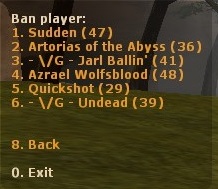
When you ban a hacker, BAN THEM WHILE THEY ARE ON THE SERVER (in-game) instead of after they disconnect.
When you ban a player from in-game or Sourcebans while they are on the server, it will provide the player's IP address on the ban record in Sourcebans. Sometimes you may have to go onto Sourcebans and add a second ban for them, listed as IP ban. This will effectively stop most script kiddies from rejoining your server on their account or their alt accounts.
If the hacker has a name changer that mimics the names of other players, you have two options:
Hackers with name-changers will generally be level 0, possibly already having VAC bans from other games or private profiles.
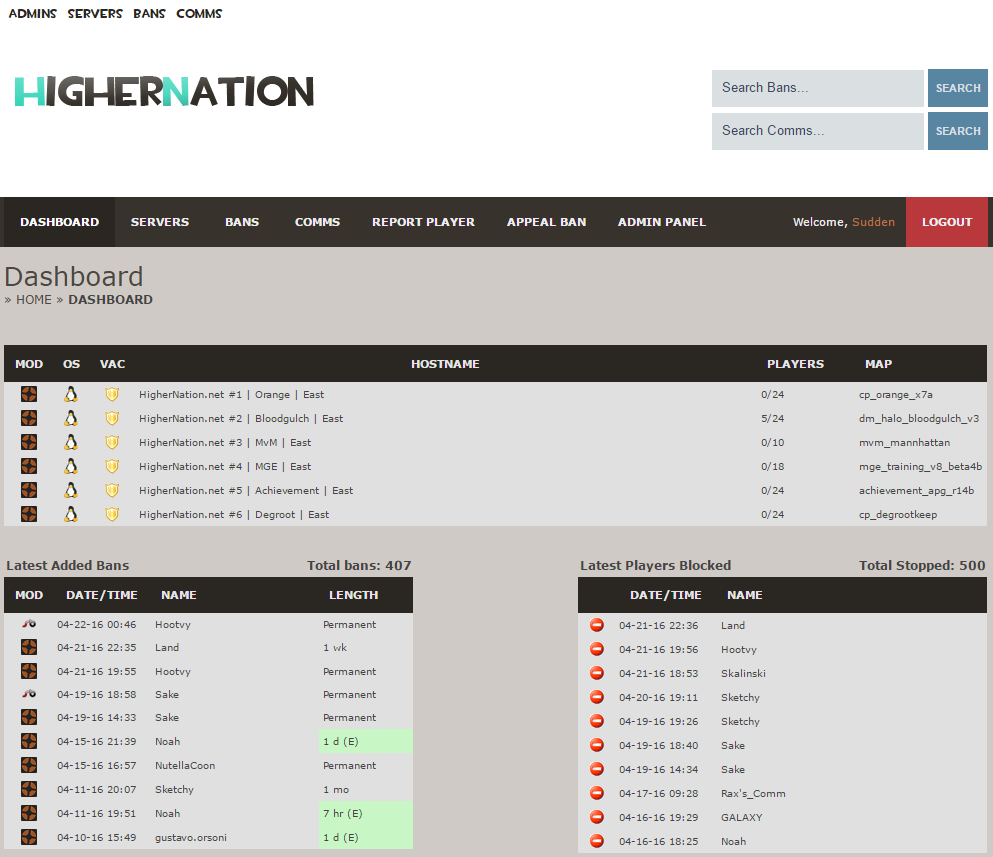
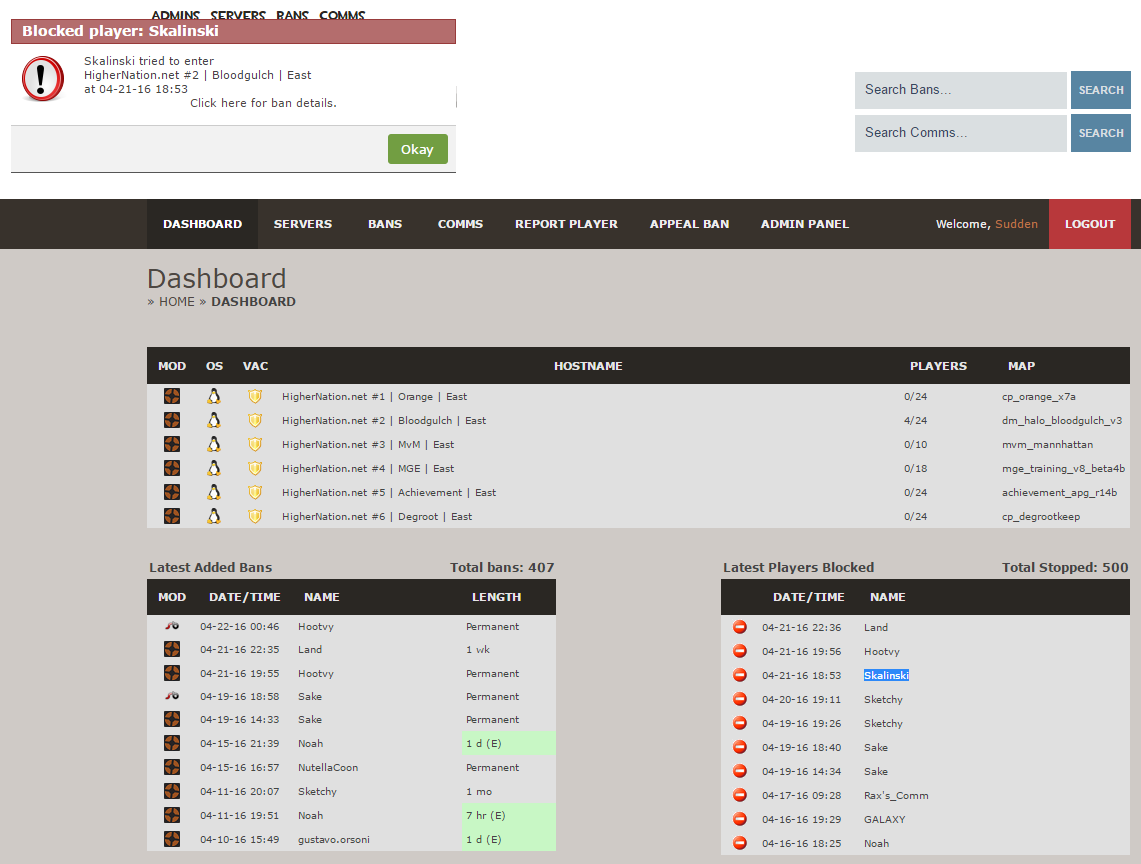
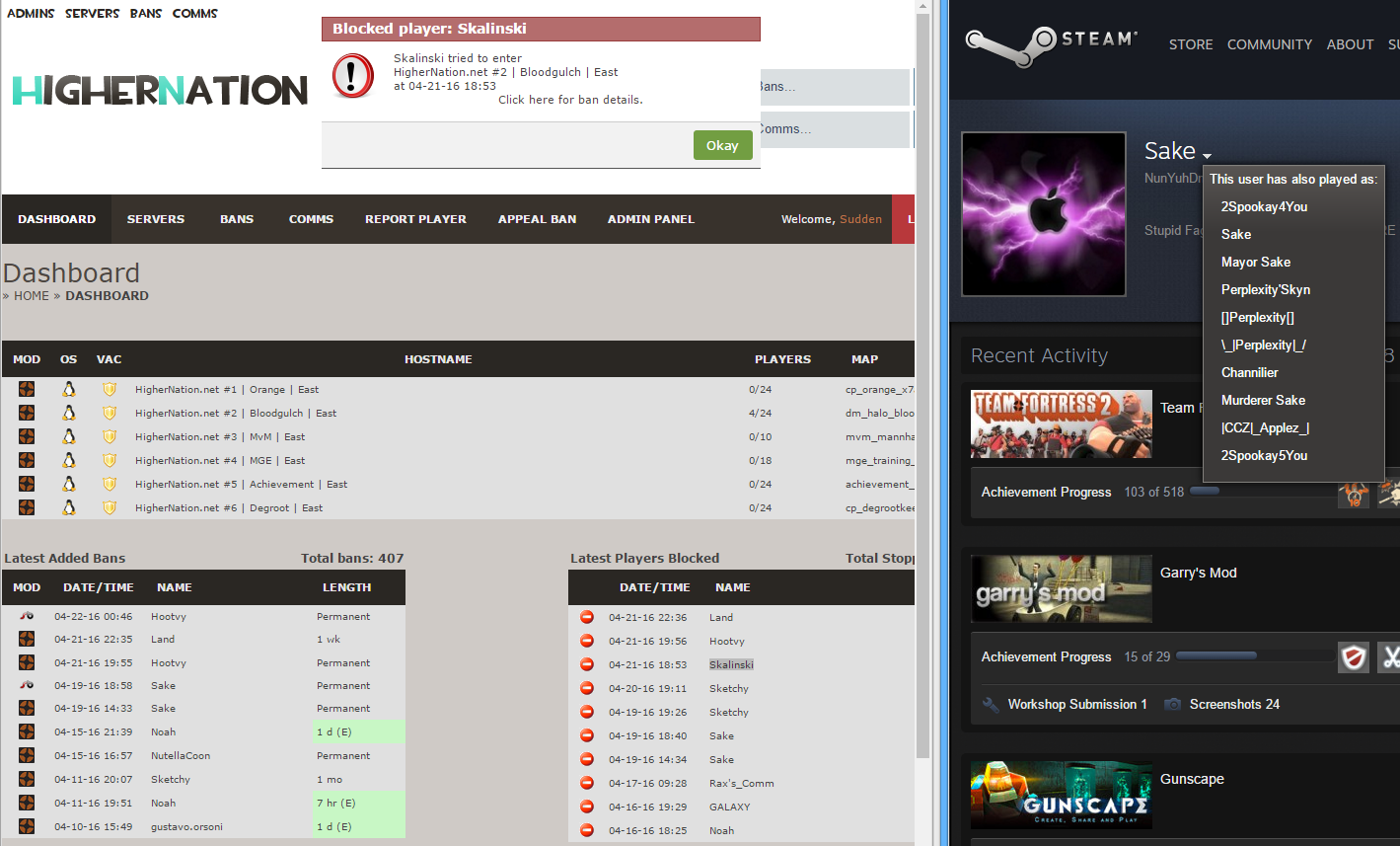
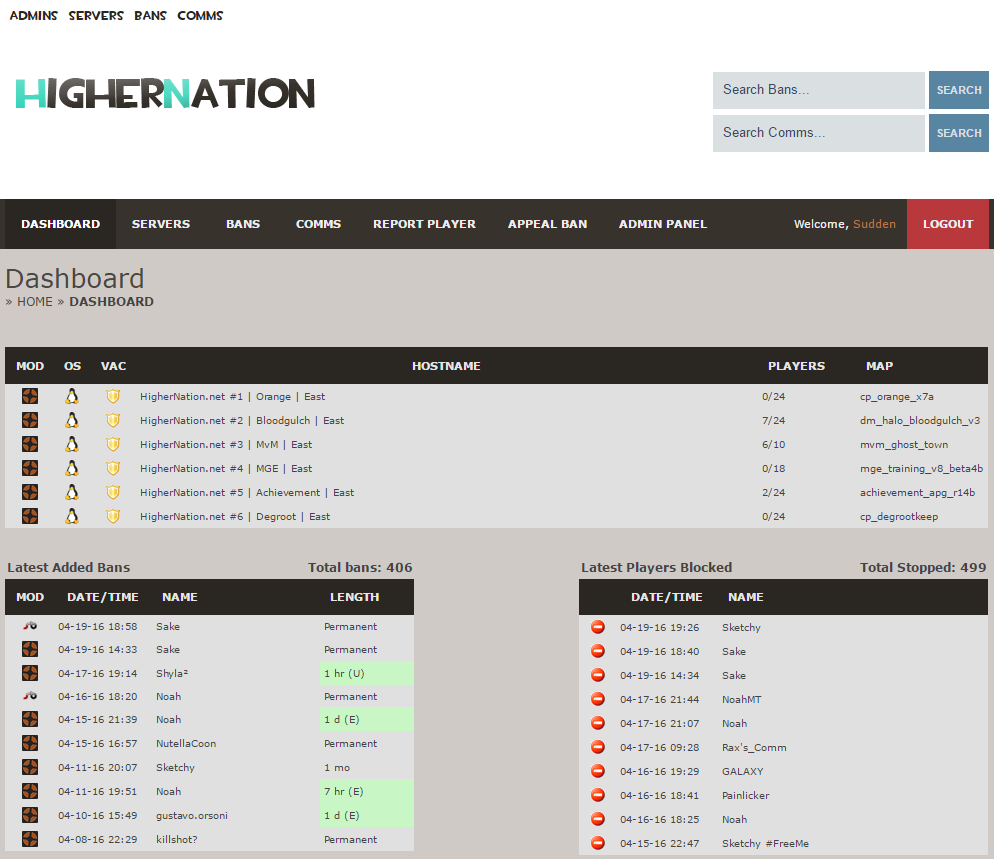
Here on the dashboard I noticed a player, whose name I did not recognize was blocked from entering one of the servers.
A player named Skalinski was blocked from connecting to our Halo Bloodgulch TF2 server.
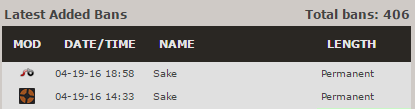
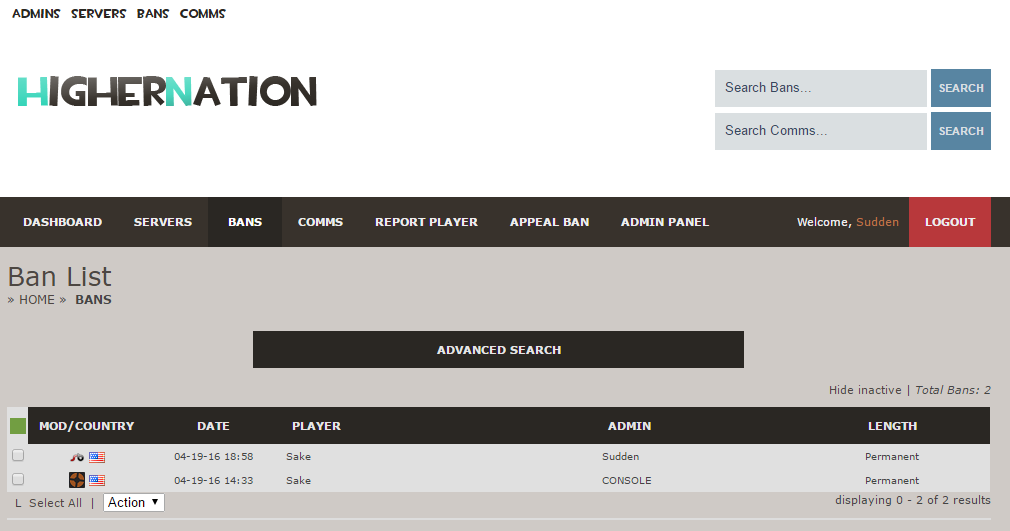
After clicking for his/her ban details, it revealed that the ban fell under a player named Sake. Sake was banned automatically by Source Mod Anti Cheat (SMAC), and then I gave him an IP ban.
Now comes the research. Was this the same account using a different name? Or did the player make an alt account and try to connect to the server?
Viewing the player's recent name history on Steam, there is no mention of "Skalinski".
Upon further research using a third-party tool, it was confirmed that the player never changed their name to "Skalinski".
So what does this mean? It tells us that the player made an alt account and tried to connect to the server on the alt. The IP ban prevented the alt account from joining, and will effectively prevent any other alts belonging to the player from joining in the future. This is why it is essential to ban hackers ON THE SERVER (in-game) instead of using Sourcebans, and then follow-up with an IP ban using Sourcebans, as described in the previous section.
View my guide on using Sourcebans!
http://steamcommunity.com/sharedfiles/filedetails/?id=670646726